Thursday, March 31, 2016

Week 12!

Well, I have made it to week 12 and have spent the last week or so reflecting on what I know now about digital citizenship.  Truly at the beginning of this learning journey I was a little afraid of the online world and the tools offered.  I've heard a few horror stories of downloading a virus from a program.  I didn't feel technically savvy enough to ward off any invaders!

However, now I'm feeling a bit more confident in my abilities to control what I view and how I use it.   I understand the need for a positive digital footprint and why it is so important.  We all have a digital footprint unless we are totally unplugged from the modern world.  I did goggle my name and found there is a famous British actress Christine Hamilton who takes up a lot of space!  However I am in there if you go far enough!  Its important for me to monitor my digital footprint to ensure it is accurate and to be aware of the problem of identity theft.  I must be proactive, rather than reactive.  I control the information released.  Ainslie (2009) says she is " feeling very strongly that it is important for teachers not to avoid having a digital footprint, but rather to make sure they build a positive one".  Similarly I feel  it is very important to model the correct behaviour to students to ensure they build a positive digital footprint and understand the responsibilities which come with digital citizenship.

"digital footprint" retrieved from http://image.slidesharecdn.com/digitalfootprint-2-110814065859-phpapp02/95/digital-footprint-2-37-728.jpg?cb=1334430312
 Great websites for students to view which support digital citizenship include TED Education, Education NPR, Edudemic and Edutopia.  I have these websites in my feedly reader and they have been a great resource.  Here's a article about how the classroom will look and operate in the 21st century. 

Finally its time to say goodbye.  Thanks to everyone who has commented on my blog.  This is my last course and I'm happy to say I will be graduating shortly!  Best wishes to everyone for continuing success and learning.

Ainslie, D.J. (2009).  Yes, you should have a digital footprint...and keep track of it.  Retrieved from http://djainslietech.com/2009.
Christine

Sunday, March 27, 2016

Creative Commons

Creative Commons License
This work is licensed under a Creative Commons Attribution-NonCommercial-ShareAlike 4.0 International License.


 Christine

Week 11 Screencast

-->Week 11 concentrated on fun video/audio tools!  I choose screencast because the tutorial I viewed was simple to follow. To create my audio file I used my smartphone, uploaded it easily and then was disappointed to realize my file was a little too big to be uploaded without additional help.  Downloaded screencast uploader and then I was ready to go!

MOOC's or Massive Online Open Course was the subject of my audio screencast.  Koller (2012) describes Cousera as a way to research how people learn.  She has feels MOOC's equalize education in that it allows many more people to engage in learning that otherwise may not have the opportunity.  Cormier (2012) says that MOOC's are a great way for people to connect, collaborate and network.  This connection supports life-long learning and the principles of adult education.  It also represents independence and as Cornier (2012) says "only you can decide if you've been successful.  Just like real life".

MOOC's as a learning tool can be added to a PLE and PLN because of the networking, sharing and collaboration opportunities it presents.  I have used MOOC's in the past and after this coursework is completed at Brock I will begin my free MOOC course on permaculture  at the University of Oregon.  MOOC's will definitely become part of my PLE.  I believe as Koller does that MOOC's support lifelong learning and opportunity; however I do know based on my experiences living and working in the remote areas of Northern Ontario that many people do not have access to the internet.  And it also worth pointing out again about the digital divide that exists based on socio-economic reasons as illustrated in my recent tweet "the new digital divide" and discussed in my last post.  I'm stressing this point because I believe many of us including the corporate world do not fully appreciate that many people do not have access to the internet.  Of course there is free wi-fi however it is not secure and with the rise in identify theft, its truly not safe to be online in a public place.

"the north" Hamilton, C. (cc) 2011


As I'm approaching my final week in the course I am appreciating my personal learning from it.  At times it was overwhelming for person with little technical experience with online tools.  However, it has certainly opened my eyes to the possibilities how to take the vast information out there, bring it to me, categorize it and share it with others.

My final post will reflect more deeply on what it means to me to be a digital citizen.  Until then, Happy Easter!

Christine


Cormier, d (2012).  What is a MOOC? retrieved from http.//youtube.be/eW3gMGqc2Q11c

Koller, D. (2012, June).  What we're learning from online education (TED talk) retrieved from http://computinged.wordpress.com/2012/08/14/daphne-koller-ted-talk-whats-new-about-moocs.


Sunday, March 20, 2016

Week 10

Week 10 involved a lot of reading, reflection and thought about copyright laws, creative commons and how it all fits with digital citizenship.  I have tried but not have been successful in using the copyright symbol for my own photos used in this blog.  I have used the creative commons logo not fully understanding what that means.  However, after this weeks readings and viewing of the video, I feel I have a rudimentary understanding of creative commons.  It is though a fantastic idea to have this registration in place where parameters can be set on how photo's can be shared and used.  And remixed, if permitted!

The youtube that really caught my eye this week though is the TED talk featuring Kirby Ferguson.  I used the quote "nothing is original" from this youtube as the title to my Prezi as I reflected on his talk about the remixing of songs and albums.  It was a good lesson in understanding how melodies can be similar with different lyrics, how music can be the same and just transformed into a modern message.

"Prezi Image" [online image] retrieved from https://prezi-a.akamaihd.net/press-versioned/190-f5df743b20699ebd8bbeb7b51b6e942bf95cda5b/press/img/kit/prezi_logos/prezi_horizontal.png
Several themes appeared throughout this week about giving permission, creative rights and how as good digital citizens, we must model good behaviour and recognize ownership of content online.  Lucier (2009) says "we live in a world that is really a culture that is right for cheating".  People are looking for short cuts and don't need or want to reinvent the wheel!  However, we do need to acknowledge the authors of creative works and give credit where credit is due.

Looking through my feedly reader, I came across this article about the new digital divide.  In Maryland, there was an attempt to pass a legislative bill to prevent  recordings of bus passengers conversations.  According to reports, the recordings are an attempt to prevent crime against bus drivers or other passengers, however no one is quite sure what is done with the recordings, how they are stored or destroyed.   The author though makes a key point here in that many bus riders in Baltimore are poor and the poor have fewer digital rights.  In previous blog posts, I have made a similar comment about access to the internet.   In many remote northern communities the internet relies on satellite and satellite relies on the weather.  We cannot assume everyone enjoys access to the online world.  Access may be limited due to geography or socio-economic reasons.

Christine

Ferguson, K. (2012).  Embrace the Remix. [TED talk Youtube] retrieved from http://www.ted.com/talks/kirby_ferguson_embrace_the_remix

Lucier, R. (2009).  Creative Commons:  What Every Educator Needs to Know [video] retrieved from https://dotsub.com/view/b2ead831-4a4e-4530-94d8-381558cfecec


My Slideshow using Prezi!

Okay, I really do like Prezi!  However, what I have learned this week is I need a new computer with a better graphics card and more capabilities!  I'm hopeful is will display properly as it took more time than needed.

This week I choose Prezi to talk about copyright and creative commons and to visually represent the ideas.  In Canada the term we use is fair dealing when discussing copyright laws.  Fair dealing for media education means consumers can use copyrighted material without permission if it falls under fair dealing exemptions.  It sounds a little complicated however the exemption listed include use for research, private study, criticism or review, news reporting, parody, satire and education in the classroom.  Interestingly enough according to Fair Dealing Act, its not clear how this applies to online and distance learning.  Based on my own experiences with online learning and the difficulties I have had registering online for courses, I believe there has been a large increase in the number of online learners in the past few years.  With this in mind, I believe the Fair Dealing Act will need to become more clear to advise students/educators how the act pertains to online learning. Christine                                     "nothing is original" Hamilton, C. (cc) 2016

Sunday, March 13, 2016

Week 9 and Scenario 11

Background Scenario 11

Mrs. Smith considers herself to be a pretty savvy computer user.  She has been working with computers for five years and uses them regularly in class.  Mrs. Smith get an email from someone she does not know but the opens the email anyway.  When she opens it, the message has some advertisement for a free gift, so she deletes the email.  Several days later she is working on her computer and notices that her internet browser is working very slowly.  She decides to check the computer with an antivirus program and discovers that she has a virus on her computer.  She determines that the virus came from the email she received several days previously.  How do we protect ourselves from online dangers?

Mrs. Smith is curious.  What is in this email?  Curiosity with unknown emails can lead to big problems on the computer with a virus.  A similar situation occurred on my computer not too many years ago when a email came during Christmas that looked like a Christmas card and I recognized the name of the sender.  However once opened and clicked on the link, it was phising scam which then took all my contacts and sent them the same nice looking Christmas card.  I knew as soon as I had opened it that something was wrong!  Because of all the activity on my account,  Hotmail shut down my account and I needed to get back online quickly to warn my contacts.   Due to my quick action  my contacts heeded my advice and did not open the email with the noxious attachment.  Sending out this quick email  demonstrated digital citizenship and responsibility.  Although I had made an error and suffered the inconvenience, my contacts/friends were spared.

Based on my experience and information contained in the textbook, course reading and online research, Mrs. Smith should not open any email where she do not recognize the name.  I did recognize the name on my email  however the actual address did not look legitimate upon closer examination.  Clicking on a link in an email can also lead to big problems (as I found out).  Second a firewall and anti-virus programs are an absolute must for protection, however they can only do so much and need to be upgraded.  People should always be cautious and use critical thinking skills to help identify credible links.  Students can learn these tools or a more difficult way is to learn through experience as I did.  Experience though is a good teacher as now I critically examine all emails in my inbox.

Christine

United States.  Department of Homeland Security.  Security Tip Using Caution with Email Attachments (2013) retrieved from https://www.us-cert.gov/ncas/tips/ST04-010

Week 9 and Voicethread


Voicethread is a great interactive tool.  I can use different types of media to create a slideshow which can  involve the audience in more ways.  I enjoy reading however, I believe some people find reading information tedious and maybe boring!  With Voicethread of course I can become more creative with my presentations and create a dialogue between myself and my viewers.  This is a great tool because when dialogue is created between participants people learn more by sharing personal experiences.  Hearing a voice also helps in understanding the context and emotion of the speaker and  less likely to have a misunderstanding with communication.  This last comment is based my own personal experiences with online learning. 

In week 9 more discussion focused on digital rights and responsibilities.  Ribble and Bailey (2007) describe digital rights and responsibilities as "the privileges and freedoms extended to all digital technology users and the behavioural expectations that come with them (p.29).  One of the big take away of week 9 for me is to  respond respectfully online and not react emotionally as words only can sometimes be misinterpreted. I also found the information shared in the cyberbullying toolkit "Standing up, not standing by" an excellent resource for elementary/high school teachers and will share this link with family and friends.

"the beach" Hamilton, C (cc) 2008
 When I first began online coursework this was my biggest complaint; I couldn't see who I was talking to and couldn't interpret their voice or body language.  However with time I think I have become more savvy in my interpretation of the written word.  However images do speak to me as I can look at the photo I've uploaded and see people enjoying the beach, the water and a warm day!

One of the questions asked this week is will I use Voicethread for academic work.  I believe I will use this tool and add it to my PLE.


The following is an interesting article about interviewing skills for students.  Blogger Leigh Ann White says interviewing is a great form of experiential learning.  She says students who develop good interviewing skills helps them in two ways; to learn how to ask questions and how to answer questions well.  Good interviewing skills may help you land your next job!

Christine

 Bailey, G. Ribble, M. (2007).  Digitial Citizenship in Schools.  Eugene, OR:  ISTE
Cyberbullying Toolkit Standing up not Standing by.  retrieved from Common Sense.org/cyberbullying-toolkit


Sunday, March 6, 2016

Week 8 and Wiki's

"It's a wiki wiki world"  I the title of this article because it announces two things to me...information is everywhere and its a bit crazy at times.  I like the idea behind Wiki and the simplicity of it.  The nature of a Wiki is everyone/anyone can add and develop content.  This allows collaboration and a equal voice! A Wiki encourages involvement, shared knowledge and the growth of a community...a community of learners.  Maybe we can call this community of learners/collaborators mini wiki's developing small ideas into a Wiki or the final big idea(s).  Digital responsibility comes along with the freedom to add individual mini wiki ideas.  One of the best feature of the wiki is the ability to see page history. 


"Wiki" Michael Brown (8552065) retrieved from Dreamtime.com
In addition this week I could try out Goggle Hangouts which has the ability to connect with others synchronously.  With other tools, like Sakai I can connect with other class members at any time.  This can be an advantage or disadvantage.  When I  connect synchronously, people have to sign in and contribute to the conversation or just read/listen/watch.  Skype is a good example of this.  Sakai however allows posting of information at anytime and anywhere.  With this tool I can post my information and read others while in any part of world and in any time zone.  However, asynchronous
is similar to email and information and questions can be easily ignored.  One of my top digital responsibilities is to respect one another and listen respectfully.

Looking through my feedly account I found a great article titled 17 Great Resources for Building a Student's Self Image  This information provides a great resource for students and teachers and ties in with my research area of cyberbullying and health.  Blogger Joy Nelson asked the question "what do students see when they look into the mirror?  Do they see someone worthwhile or someone who will never be good enough?  The information contained in her article reminds me to respect others and to be kind.  A kind word here and there can bolster a flagging ego and can make someone feeling alone feel part of the community.  It's easy to do.  Try it out.  Instead of a single be kind to someone day...let's try to be kind to someone everyday.

Christine

K12learning20.com(2013).  It's a wiki wiki world retrieved from http://k12learning20.wikispaces.com/8-wiki1

Ribble, M. (2015).  Digital Citizenship in Schools 3rd edition. Eugene, Oregon:  ISTE

Saturday, February 27, 2016

Week 7 and Google Docs

Goggle Docs is a phenomenal tool for collaborative learning.  Working in groups, presentations and documents can be shared and edited by all the members.  All members of the group are permitted a voice and the opportunity to express their unique ideas and share information.  I like Goggle Docs as I find it user intuitive and very similar to  word documents and power point in its set up.  Three ways I could incorporate Goggle Docs are with group work, sharing documents and presentations with other students.  In my private life Goggle Docs can be used to develop a document that may require input from other family members (a legal document for example).  Google Docs collaborative nature closes the distance gap.

"Collaboration" retrieved http://blogs.msdn.com/blogfiles/willy-peter_schaub/windowslivewriter/vstsrangersprojecttfs2tfs.introducingait_a2dd/clipart_of_16323_sm_2.jpg


In past coursework online for group members to collaborate and work together on presentations, the options were either to send a draft via email where members could add/edit and return or collaborate using Skype where meetings can be held.  However, the downside to Skype is if there are more than two (possibly three) people talking, someone always loses the signal.  This was my experience where there were 5 members of the group.  We had a large project to complete together and all five lived in different cities.  We turned to Skype and managed  to gather up enough information to produce a fine group project.  As mentioned two or three of the five members of the group on Skype would lose their signal; however other group members would summarized the exchange and  post it online  This is a great example of group work and collaboration.

One of questions asked is will I add Goggle Docs to my PLE?  YES, I definitely will add this great tool.  Other tools I believe I will keep are Twitter and Feedly.  Tools I am considering deleting from my PLE are Goggle Alerts and Evernote.  I'm finding Goggle Alerts inundates me with information (some irrelevant) and Evernote I just haven't understood the capabilities of it.  Perhaps with time and practice I will!

 My feedly account always has information in my health folder about the Zika virus.  I've added two more links as officials in Brazil are becoming increasingly concerned with the spread of the Zika virus and the upcoming Olympics in August.  There are reports of the virus in other countries too because of our world wide travel habits.


Christine


Sunday, February 21, 2016

Week Six Evernote

Week six concentrated on the use of Evernote as a digital tool where all my information can be stored in notebooks. I can categorized the notebooks (along with my notes) to easily find information, however as with past tools (for example feedly) I found the tutorials and web pages do not match the pages I see displayed on my computer.  Something I have discovered about Evernote is the Evernote icon is not always a choice when you wish to save an URL.  I think the information should be clearer to install the add-on web clipper.  Once I had this add-on installed it became much easier to do.   A aha moment for me!

"evernote icon" retrieved from Ahttp://www.rebelmom.com/wp-content/uploads/2010/07/Evernote-icon.pngdd caption


An idea I have discovered from the readings this week is using Evernote to store academic information.  There is so much fluff on the internet and so much misinformation, clipping random web pages about a topic feels too simplistic for university use.  Once I read the article from Macrogeek 1 (2010) describing how to use Evernote to manage research topics the abilities of Evernote came together for me.  I believe I will use this tool for my PLE.

Here's an interesting article about free college for the students in the United States.  There are many advocates for free tuition, however the statistics show countries that do provide free tuition do not have a more educated population.  Interestingly enough is Canada is tied for second place (with Japan) in having 58% of the population having some post-secondary education.  I have a good friend in Belgium where free post-secondary education is provided.  The tax rate in Belgium is somewhere around 21-22% on everything!  I visited Belgium last spring and although it is considered expensive, the public transit is not, food is similar (I think much better) but here's the catch, no tipping for service!  When I add up what I will pay for a restaurant meal in Canada plus the tip, its quite comparable to what I would pay in Belgium (with the tax).  Belgium has free health care including dental and free tuition (there is a yearly fee of approximately $1000.00 Canadian).  I wonder which system is better?
Hamilton, C (cc) 2015

As with many of the online tools for learning I have explored in the first six weeks of the coursework, I will need more time to become proficient in their use.  Indeed I will need more time and practice to understand all the capabilities of each tool and determine where it fit in my goals for learning.  Each person according to their PLE and PLN will have different needs.  I am still in the exploration stage.  I need more time to reflect on how each tool will or will not help me reach my goals.   As I  approach week 7 I feel I have information overload about the new digital tools!  However,  I am feeling a bit more confident in my technical abilities!  With all the technological tools available, it becomes very important to understand the responsibilities that come along with their use, become a good digital citizen and leave a positive digital footprint.

Christine


Macrogeek (2010).  How to use Evernote to manage research articles (youtube) retrieved from http://www.youtube.com/watch?v=fyrE6SpTNSA

Saturday, February 13, 2016

Wow Week 5 and Twitter!

There was a lot of reading and viewing tutorials this week on Twitter and how it can enhance education.  Twitter for education?  This idea has challenged my assumptions about Twitter!  As with many people, I assumed Twitter was used to follow super sports stars and celebrities. Truly I thought people who used Twitter had a lot of time on their hands!

Twitter can be used to enhance learning, share ideas around the globe and harvest the best ideas.  I can find and follow people who come up with original ideas and are willing to share.  I can share my ideas.  I like to compare Twitter to texting...short burst of information, no longer than 140 characters long.  I like the analogy of Twitter as a river.  Blogger Kathleen Morris says you can just "lurk" and read tweets but she suggests "the more you put in, the more you get out".  For me this statement suggests as a tweeter, I need to collaborate and share with others to get the most out of this cool tool.  It does worry me though, that I may tweet something which has no relevance or my information is incorrect and I could embarrass myself in cyberspace.  Of course though this is part of the learning process!

Hamilton, C. (cc) 2008

Another good experience I have had with Twitter is the ability to follow people and  see who they are following.  This helps to build up my list of people who are interested in similar information.  I don't however need to find people who agree with my point of view.  To grow my own PLN, I think its important to find opposing views and  subject area specialists whose ideas can change the way I think. 

I think the capabilities of Twitter will help digital literacy.  I don't need to post a lot of information and I can quickly skim through the tweets. It won't close the digital divide we have where some people do not have access to the internet because of technology.  As I have posted previously in remote areas of Northern Ontario, the internet is not reliable as it relies on satellite and if the satellite is down then there is no internet.  Many people assume that everyone has access to a computer.  As Ribble (2015) says "...not everyone has the ability to use all the tools that this new digital society provides.  Because of socioeconomic status, disabilities, and physical location...these opportunities are not equally available..."(p.24).  But those with equal access I think will find the Twitter tool a great resource for learning.  I just needed to dismiss my own assumptions about Twitter and how it can be used in education.
Hamilton, C. (cc) 2010


Here's another thought about using Twitter and all other technology tools, reading!  I found this posting on the importance of reading and how to encourage it.  

One of questions asked this week is will I use Twitter to build my PLE?  Of all the tools I have discovered, I believe Twitter is a definite yes to add to my PLE.

Christine


Morris, K. (2015).  Using Twitter to Build Your PLN retrieved from http://teacherchallenge.edublogs.org/pln-challenge-3-using-twitter-to-build-your-pln/

 Ribble, M. (2015).  Digital Citizenship in Schools 3rd edition.  Oregon:  ISTE


Sunday, February 7, 2016

So many to try/ Week 4

Week 4 concentrated on cloud booking marking tools Diigo and a curating tool Goggle Alerts, online tools for learning, storing, and organizing.  If only my private life could be categorized so easily and organized so efficiently!  Once I had established my account, it wasn't  difficult to add bookmarks and alerts.  I checked my Feedly account and found a few items of interest to me and I will share them further along in this posting

What I found interesting this week are the ideas surrounding curating content.  According to influential technical guru Robert Scoble, curating content will be "an essential 21st essential digital skill".  Curating content involves selecting and researching  the best information and then displaying it in a manner that makes it easy to understand and easy to find.  This can involve text or images or video or a combination of both.  The goal of curating content is to sift through the realms of information presented and then highlight, curate and organize the information.  Its not only a summary of information but provides expert opinions on the information.  As the expert curator on the topic, you are able to add your own comments and your own voice to the information.  Adding your own voice is especially important if as the curator you have created a blog on the topic.  Blog readers will gravitate to your information because you have presented it in a manner that provides interest.  Curating content is not just a summary of information.  As the curator, you must not only do the best research and use the best tools, you must add your own opinion and voice.

"Museum curator" (online image) retrieved from https://wamtac.files.wordpress.com/2010/08/edu_dawoud-bey-artist-in-residence-galleries_2009_084.jpg caption


I'm a fan of David Suzuki and have for some time received environment tips from the Queen of Green blog, so naturally I included this in my feedly account.  I like the idea of saving money, helping the environment and re-using items.  I have already incorporated the idea of  re-using the silica gel packs ( you find them in your vitamin containers) into my brown sugar and salt containers.  These little packages help absorb moisture and keep your sugar and salt from clumping together.  Easy to do and a smart tip especially during the humid summer weather.  There are other uses for them including using for camping equipment and with clothes storage.

This other tip is how to use your own homemade shampoo.  I haven't tried this myself but it certainly sounds interesting.  If you would like to explore more on how to make your own shampoo check out Queen of Green's blog on secrets to homemade hair care

Discovering the new tools presented this week and finding success in understanding the goals behind the online tools, I have finally felt I am making some headway.  Learning and using the tools is certainly outside of my comfort zone!  However, I am very excited about the possibilities of curating content and how important this role will become to disseminate the realms of information available online.  Wouldn't it be wonderful to have a blog or site that will sift through the information and present to you in a way that is meaningful, interesting and would add value to the type of work you do now or in the future?  I can see this role as a very powerful tool.

Christine


Scoble, R. (2016).  Curating Content retrieved from https://courses.p2pu.org/en/groups/curating-content/

Saturday, February 6, 2016

My Experience Using Diigo/Thing 15

Week 4 and onto new online tools!  Until I began the coursework I had no idea about the web tools available for students and educators (or anyone!).  This week I experienced a new tool called Diigo.  Diigo (and Delcious) are bookmarking tools that allow you to store your bookmarks on the web.  The greatest advantage I can see with Diigo is the ability to access your bookmarks from any computer, phone or tablet.  Diigo also helps you organize, archive, annotate and research information.

Here's the link to my Diigo library https://www.diigo.com/user/cshamilton

Christine

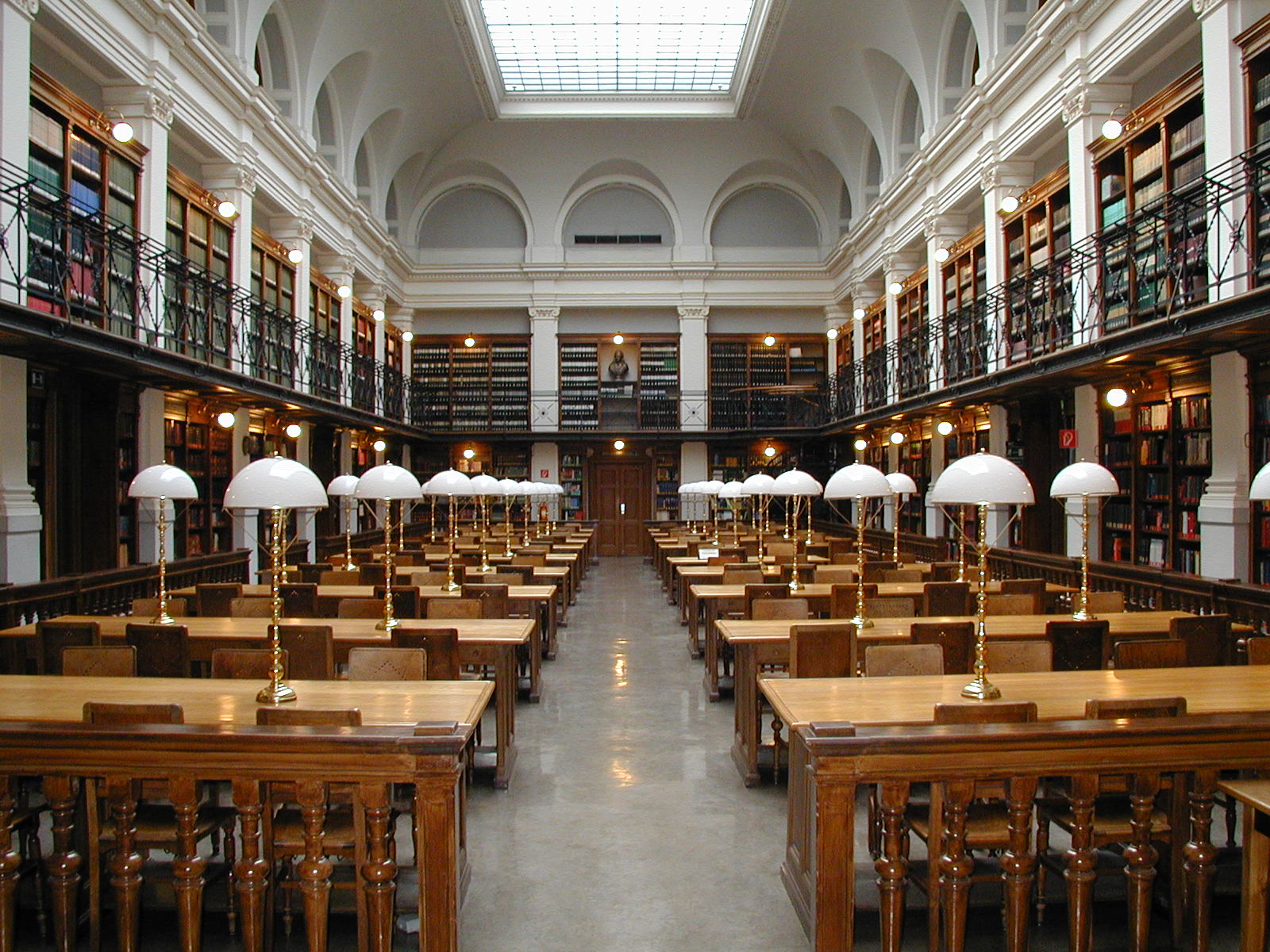
"Graz University Reading Room" (online image)  retrieved from https://simple.wikipedia.org/wiki/File:Graz_University-Library_reading-room.jpg


Sunday, January 31, 2016

My Experience using RSS feeds

This week has been quite a roller coaster ride to learn how to use RSS feeds.  I've been ready to give up but now recently I have my account and feeds!  A proud moment for me.  I am not technical at all, although many of my work colleagues would protest at this statement.  They think I know a lot about technology only because the extent of their technical tools is checking email and  posting on Facebook.

I've selected an article about the Zika virus  . This virus is transmitted by mosquitoes and is a frightening concern for the country of Brazil as its being linked to a rise in birth defects.

Public health officials are concerned because a vaccine for the Zika may not be available for many years.  Officals are also worried about the spread of the Zika virus to Florida

Let's hope our colder weather will keep the virus south of us.
Christine


Hamilton, C. (cc) 2013


RSS Feed Readers (really simple syndication)

Week three focused on RSS feed readers.  RSS means really simple syndication and its a tool to help you gather information on news and blog information.  The cool thing about RSS is the information comes to you once you have subscribed websites to the news reader. Sounds simple, doesn't it?  RSS explained by Common Craft 

Digital literacy is one of the nine elements of digital citizenship and to assume educators understand all the tools available is one of the downfalls of the digital world.  As Ribble (2015) says "even when digital technologies area readily available, too often teachers have not had adequate professional development on how to use the technology" (p. 36).  I place myself in this category.  Yes, there are endless tools to use but to learn how to use them takes time and practice.  As a working mom, my time is precious.  As I have posted previously I am not giving up on learning all the new tools but I wish the day was longer and I had the luxury of more time with less obligations.

On the other hand, I definitely can see the benefits for educators and students to have at their fingertips all the information available.It really is really simple: RSS for Educators
"Spare Time" (online image) retrieved from www. Dreamstime.com

 RSS feed readers are a time saver and wonderful learning tool.  It becomes a great tool for learning when dialogue between people is established where novel ideas can be displayed and shared.  Educators can monitors their students blog.  Students learn from each other and the basic principle of adult learning is demonstrate.  RSS tool is efficient, keeps students in touch with faculty and coursework. A very critical aspect of the RSS is once students have graduated they can easily and efficiently follow developments in their field of work (or study) which will be an important skill to have in the future of learning.
 7 things you should know about RSS


"The world" (online image) retrieved fromhttp://resourcesforyouth.ca/wp-content/uploads/2014/11/global-citizens.jpg
In reflection, I understand some of the benefits of the RSS reader.  It make sense to have easy access to information.  One of the difficulties I have with this tool is the possibility of becoming overwhelmed with the amount of information that could be presented depending which feeds are subscribed to.  Some information will not be of value. 
Time will be required to sift through the information.  I don't believe I can read and follow more than 10 feeds from my feed reader.  Perhaps I can.  Only time will tell.


Christine

Ribble, M. (2015).  Digital Citizenship in Schools. 3rd Edition. Oregon: ISTE


Sunday, January 24, 2016

Personal Learning Environment

Week two learning centered on PLE (personal learning environment).  This is my second posting for this week as somehow I have lost my initial second week posting, although it was saved!  Yes, very frustrating!

Honestly I didn't know what a PLE was until I read the information and viewed the videos.  It's not a new concept for me as throughout this learning journey at Brock my online forum groups have been discussing this idea but I didn't know the terminology.  Now I do!

Steve Wheeler offers some great information on the differences of a PLE versus a LMS.  Brock's Sakai is a good example of a LMS (learning management system) where the information is organized for the students.  It's not a good system for personalized learning according to Wheeler but it is traditional in the sense all the tools required for the student have been predetermined (textbook, web links, assignments etc.)  With a PLE, learning is individualized, created by and for the student. A Bridge in the Cloud  Wendy Drexler supports the PLE environment because it encourages critical thinking, digital literacy and "empowers the learner" The Networked Student
What I like about the PLE is the flexibility of the learning environment.  What discourages me about the PLE is how little I know about the tools available for learning.  It seems to be an endless array of tools to use and then to acquire knowledge how to use the tools in a safe and secure way appears to take many hours of practice.

During week two I explored Gliffy and mapping tools.  I was able to develop my own plan but alas at the moment unable to locate the file.  Okay, onto other things!  Wordle was the next tool.  I have used Wordle in the past but unable to use it this time  Maybe my Java plug-in is not up to date.  I don't know. I had more success with Tagcrowd.  It is a great way to summarize your reflective thoughts!
 Hamilton, C. (cc)  2013

I do wonder though where PLE is leading for the future of learning. Will everyone be plugged in online to learn?  Is this the best method for all people?  Aren't we assuming all people have access to the internet, have access to the computer and skills to use the web tools?

In the remote northern areas of Ontario for example, the internet relies on satellite signals. If the satellite is down due to weather, then there is no internet.  I have been lucky with my travels so far as previous interruptions with the internet have not caused me to lose precious information.  In conclusion I can see the benefits of a PLE, as it is flexible, encourages critical thinking and participation in individualized learning.  A PLE attempts to distance students from the business of education.  I cannot fully envision though a world without a physical classroom and buildings.  I hope people remain connected not only through the internet and online but physically.  Informal learning with face-to-face discussion I believe can never be replaced fully online.  At least I hope not!  I still like to get together with my friends, share stories and coffee!

Finally below is my PLE map using the Gliffy tool.  It looks a bit simplistic compared to others, however it is a honest representation of my personal learning environment.


"Gliffy Map"  Hamilton, C (cc) 2016


Here is my word cloud using Tagcrowd.  It took me some time to understand how to display this but I think with some practice I could do this again.

"Digital Footprint" (screenshot) Hamilton, C. (cc) 2016
Christine


Sunday, January 17, 2016

Digital Footprints

Thinking about my digital footprint has caused me to flip flop back and forth all week about the benefits of having one.  One thought tells me I should try to remain current and understand all the benefits of having a positive digital footprint.  It's a conscious effort to build a positive digital footprint, but how many of us have been conscious of this effort?  Unknowingly we have deposited information about ourselves not only on social media sites (which I have avoided until now) but with shopping online, using our credit cards and the data contained in surveillance cameras!


Hamilton, C. (cc) 2015
My libertarian self balks at the idea of being followed and watched so closely.  Yes, there are safety issues here and of course people involved in criminal activities can be apprehended because of digital footprints they are leaving.  But what about the rest of law abiding citizens, is it truly necessary to be watched every time you are in a public place, post a message on Facebook or send a text message?  Maybe we aren't watched every time but the opportunity exists to be watched without the knowledge of it. We are bound to make a mistake somewhere or sometime.  We aren't perfect beings.  Should our imperfections as humans be used to justify why we weren't offered a job, cannot get in programs at school because of a minor criminal charge or denied access to cross the border?

When I shift my view of digital footprints and particularly the necessity to have a positive digital footprint, I see opportunities to engage with others in a global context, to build up knowledge, collaborate and work with others, connect with peers and experts and build up a positive digital footprint that invites people to seek you out.  These connections can create your job, career, voice and opportunities that were not imaginable a few short years ago.  This aspect of a positive digital footprint makes me pause to think of possibilities! yes, you should have a digital footprint...and keep track of it

Understanding how to blog well can add to your positive digital footprint and can foster the growth of a community.  In this Brock coursework, we can grow a community of learners all striving to understand the importance of our digital footprint in today's world.  The downside is we can interpret the information we read on blogs as factual, when they are not 7 things you should know about blogs
Awareness of our responsibilities as a digital citizen is an important tool when managed properly.   I am hopeful with time and practice, I will alleviate my fears of the unknown technology and the sense I am abandoning my privacy. It will be interesting to go back and read this week one post at week twelve and see what my thoughts are then!  Scary as all this technology can be with the sense of losing oneself in it, I'm sure this learning experience will conquer most of my fears.  We'll see.

Christine